The heartbeat: work that continues without you
A heartbeat is the agents asking themselves "what should we be doing now?" and then doing it. It is what makes the workspace a team rather than a very good chat window.
You can trigger one yourself at any time from the sidebar. Left on a schedule, it runs on its own.
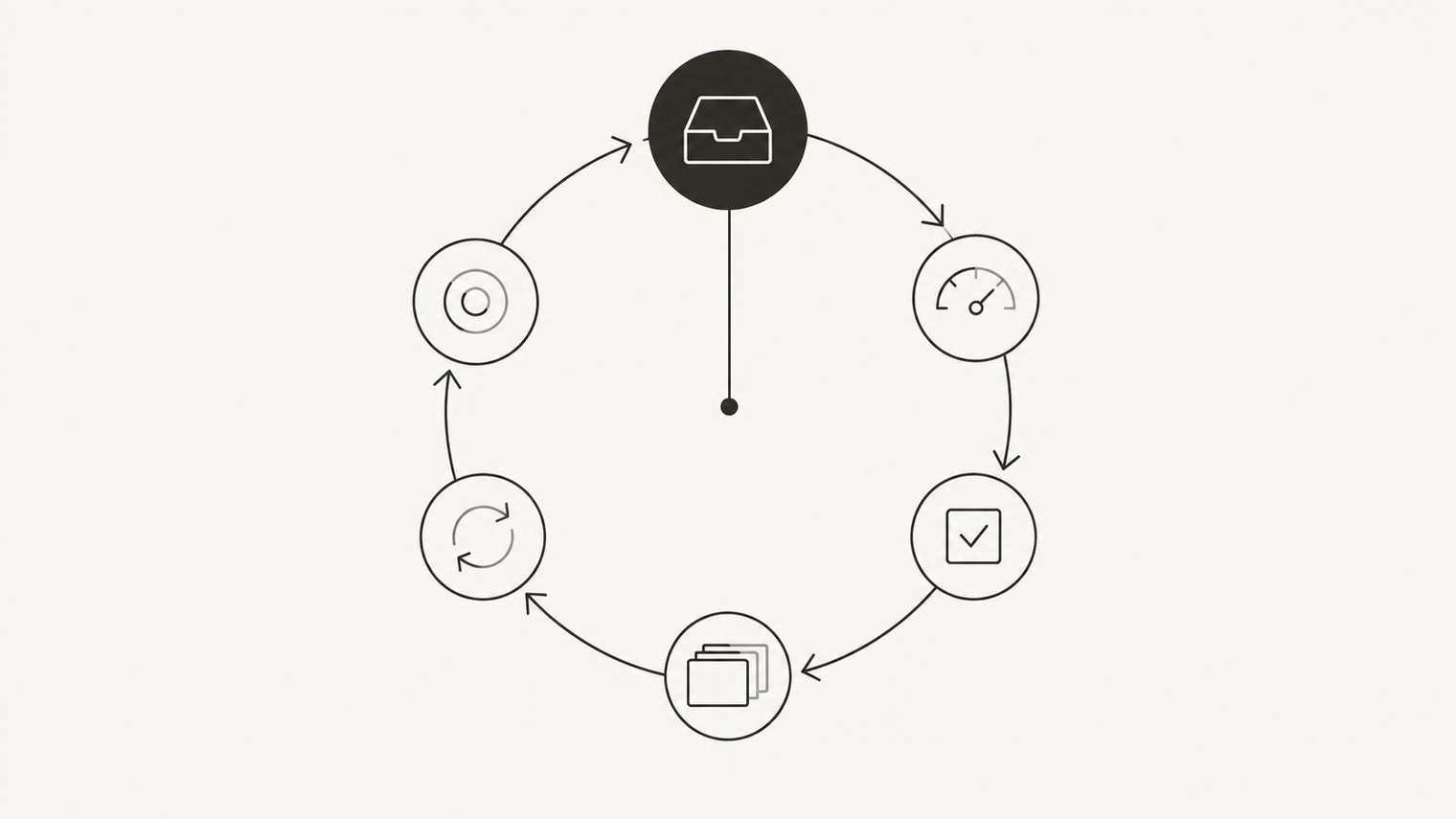
What happens in one
The agents work down a fixed order and stop at the first thing that needs doing.
They start with the inbox: anything waiting on you is surfaced before autonomous work begins, because there is no point drafting the next thing if the last one is stuck.
Then they check the workspace's credit budget. If it is nearly spent, you are told what is left and what will stop when it runs out.
Then, in order: active tasks, projects that need their next piece of work, processes that are due to run, and goals that have gone quiet or fallen behind.
If nothing is actionable, the run ends with the agent saying so and suggesting when to come back. That is a normal outcome, not a failure.
Everything a heartbeat does is recorded in Activity, and anything that needs you appears in the inbox.
Choosing a cadence
The setting lives on the Usage page: automatic, a fixed interval, or off.
How often it may run depends on your plan. The Free plan has no autonomous heartbeat at all — you can run one by hand whenever you like, but nothing happens while you are away. Pro runs hourly at the fastest, Scale every thirty minutes, Max every five. Set it to automatic and it runs at your plan's fastest cadence; pick a slower interval and it is respected exactly.
Faster is not automatically better. A five-minute heartbeat on a workspace with three tasks will find nothing to do most of the time, and each check costs a little. Match the cadence to how fast your work actually changes: hourly is plenty for most businesses, daily is fine for a slow-moving one.
What it costs
Heartbeats spend credits like any other work, because thinking about what to do is work. A run that finds nothing costs very little; a run that writes a report costs what writing a report costs.
If the monthly budget runs out, autonomous work stops and you keep working in the chat by hand until the budget resets or you top up. See credits and plans.
Staying comfortable with it
The point of a heartbeat is that things happen without you watching, which is exactly what makes people nervous at first. Three things help.
Start slower than you think you need, and speed it up once you trust the output. Be explicit about what agents may do unattended and what must always come to you — that boundary lives in your agents' instructions and is easy to change. And read Activity for the first few days; it is the cheapest way to find out whether the workspace's judgement matches yours.
If you want it to stop entirely, set the cadence to off. Nothing runs until you ask.