Your team of agents
Setup creates a small team: the assistant that runs the workspace, plus an agent for each area your goals actually need. The Team section shows them, and you, and who reports to whom.
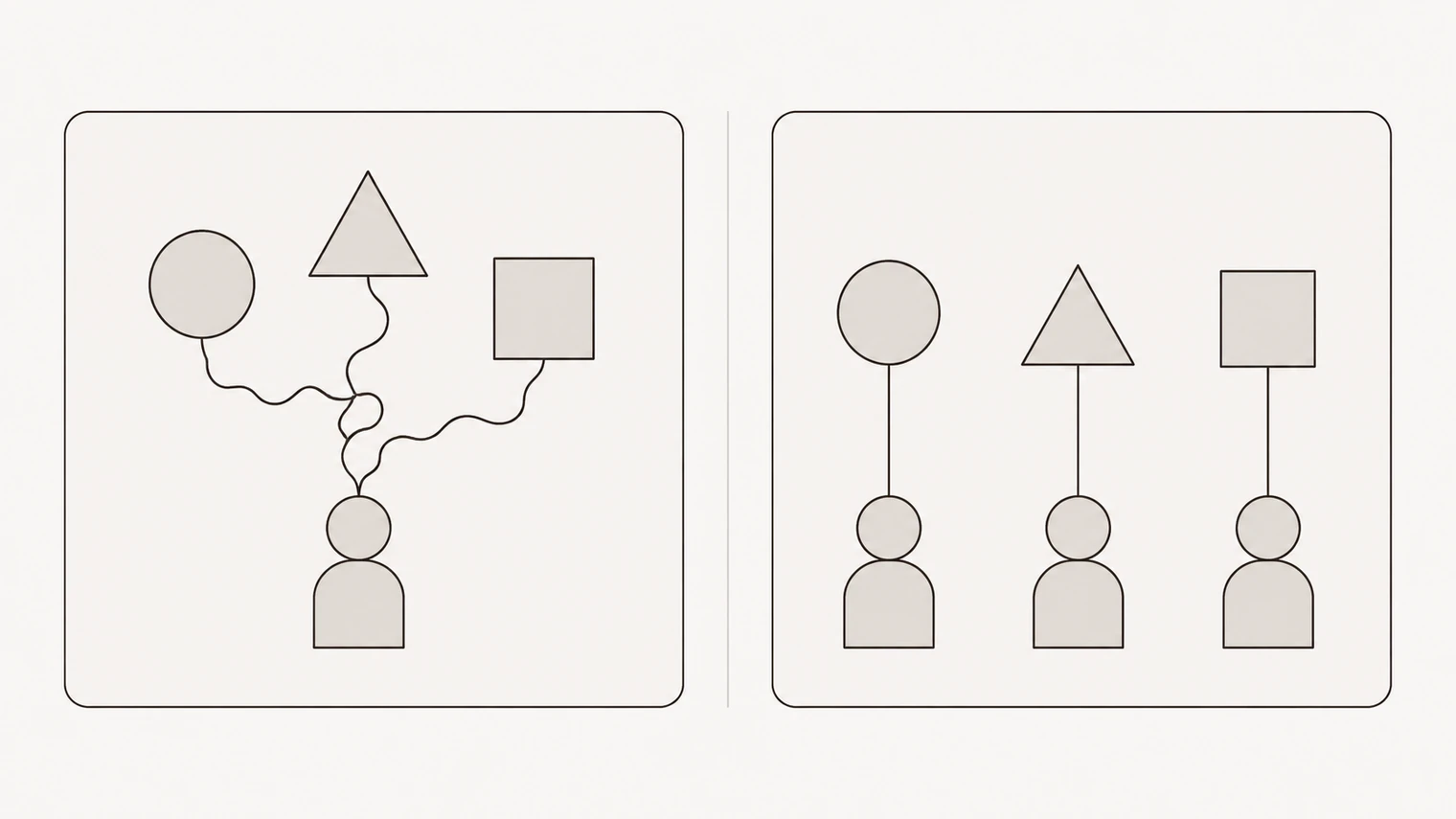
Why more than one
An agent is a role with its own instructions, its own tools and its own memory of how that area works. Splitting roles is not decoration — it is what keeps instructions from fighting each other.
One agent told to write in a warm marketing voice, keep the books to the letter, and be blunt about risk will do all three badly. Three agents, each with one standard to hold, will not. It is also how permissions stay sane: the agent that touches your invoicing does not need access to your ad accounts.
What lives on an agent
Each agent has instructions — its role, what it owns, how it works, what it must never do unattended. This is the file to edit when the behaviour of a whole area is wrong rather than one piece of work.
It has its own tools: the connected services it may use. And it has its own memories, the things it has learned about its area specifically.
You can open any of that and change it, or just say what you want changed in the chat and let the agent rewrite its own instructions. Both work; the second is faster and the result is the same file.
When to add an agent
Add one when an area has enough recurring work to have a standard of its own, and you find yourself repeating that standard.
Do not add one because a real company would have that job title. An agent with nothing to own produces work nobody asked for, and each one is another set of instructions to keep current. Two well-briefed agents beat six vague ones, every time.
Ask in the chat — "we need someone owning customer follow-up" — and the agent will propose the role, what it should own and where its boundaries sit, before creating anything.
Reassigning and removing
Work is assigned to whoever owns it, including you: some tasks are yours because only you can do them, and an agent will say so rather than fake it.
When a role stops making sense, remove the agent. Its work does not vanish — tasks and history stay in the workspace — and you can rebuild the role later if you change your mind.
Talking to a specific agent
Mention it with @ in the chat to direct a request at the agent that owns the area. Without that, the workspace assistant takes it and routes the work.
The Messenger section is where per-agent and group conversations will live. Starting new conversations there is not wired up yet; for now, work through the chat.
People
Inviting human colleagues into a workspace is coming, not here. The org chart already has a place for it — roles are described by what they own, not by whether a person or a model fills them — so when a role outgrows an agent, the structure does not have to change. Today, a workspace has one human in it: you.